
Cloud adoption in the legal field is the new normal. Many law firms now rely on cloud-based legal software because it offers better security, flexibility, and cost control than most in-office systems. If your firm is still running on old servers, here are ten reasons to move to cloud services for law firms.
-
Tighter security when done right
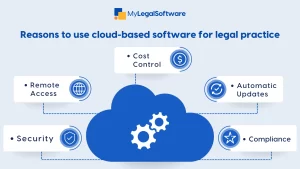
Law firms handle sensitive client data every day. Modern cloud providers invest heavily in encryption, constant patching, access controls, and external audits. Most small and mid-sized firms cannot match this level of protection on their own. Ensure you ask for encryption at rest and in transit, MFA, and security reports before choosing a vendor.
-
Lower and more predictable costs
Cloud computing for law firms only requires a simple subscription. You no longer need to worry about server replacements, repairs, or downtime. Many firms save money when they switch, especially when they factor in staff time and maintenance. Compare costs over three to five years, including migration, training, and infrastructure savings.
-
Reliable backups and disaster recovery
Cloud platforms store your data across multiple regions, offer point-in-time backups, and support recovery after a failure. This prevents case delays and helps you meet regulatory expectations during emergencies. Review the RTO and RPO in the service agreement and test restores.
-
Easy remote access
Lawyers and staff now work from courtrooms, homes, airports, and work sites. Cloud-based legal software gives secure access to laptops, tablets, and phones without a complicated VPN. This helps teams respond faster and stay flexible.
-
Faster updates and better integrations
Cloud vendors roll out improvements automatically. You get new features, security fixes, and integrations without long upgrade cycles. This makes it easier to connect tools like calendars, e-signatures, accounting systems, and legal research platforms. Choose vendors with open APIs or strong native integrations.
-
Simple scalability
As your caseload grows, your cloud system grows with you. You only pay for what you use, so you never need a complete hardware replacement. This makes cloud services for law firms ideal for firms that expect growth.
-
Better collaboration inside and outside the firm
Cloud platforms support real-time document editing, shared dashboards, and secure client portals. This cuts down on long email chains and improves how teams manage matters together. You can enforce rules for document naming and version control.
-
Easier compliance and audit readiness
Good cloud vendors provide audit logs, retention settings, and compliance tools that support GDPR, CCPA, and other standards. This makes it easier to handle regulatory checks and client requests for data handling. Confirm support for legal holds, immutable backups, and exportable audit trails before purchasing.
-
Access to modern legal innovation
Many AI, automation, and analytics tools run on cloud infrastructure. With cloud computing for law firms, you can use tools that speed up document review, improve pricing models, and reduce routine tasks. Treat AI as an assistant. Always verify outputs and use platforms that support retrieval or have clear data sources.
-
Clients expect modern service
Corporate and individual clients now expect fast communication, secure portals, and easy billing. Firms that cannot meet these expectations risk losing work to tech-driven competitors. Cloud-based legal software helps you keep up.
Risks and How to Handle Them
Data privacy
Choose vendors with recognized certifications, clear contracts, and regional data storage options.
Vendor lock-in
Ask about data export options, standard formats, and exit terms.
Cost creep
Monitor usage, set budget alerts, and review add-on services.
User resistance
Provide training, explain benefits, and start with a pilot group.
Migration Checklist
- List all your current systems and data.
- Sort data by sensitivity and compliance needs.
- Pick your first workload to move, often document management.
- Run a pilot with a small team.
- Test security controls, backups, and legal holds.
- Train staff and update remote access rules.
- Review SLAs and exit terms.
- Plan a 30, 90, and 180-day post-migration check.
Questions to Ask Any Cloud Vendor
- What certifications do you hold?
- Where will our data be stored?
- How do you handle encryption?
- What are your RTO and RPO targets?
- How do you provide audit logs?
- What are your onboarding and offboarding procedures?
- Which integrations are built in?
- What support timelines do you guarantee?
- Do you support MFA and role-based access controls?
MyLegalSoftware As the Ideal Cloud-Based Tool for Your Law Firm
MyLegalSoftware (MyLS) is a standout choice for robust, cloud-based legal software that understands law firm workflows. It is built on cloud-native architecture and offers enterprise-grade security, document automation, and a client portal. It supports remote work, ensures data protection, and simplifies daily case management.
For law firms ready to make the leap to cloud computing for law firms, MyLegalSoftware gives you the control, compliance, and innovation you need to stay competitive while keeping clients at the center.
Schedule a demo now.

Frequently Asked Questions
Is cloud-based legal software secure for law firms?
Reputable cloud vendors use strong encryption, access controls, and independent audits. Their security is often stronger than what most small and mid-sized firms can maintain in-house.
Will cloud services for law firms reduce my IT costs?
Most firms see lower costs because they no longer maintain servers or pay for frequent hardware replacements. You pay a subscription fee and scale as needed.
Can my firm control where client data is stored?
Many vendors let you choose data storage regions to meet privacy and compliance needs. Always confirm this before signing a contract.
How does cloud computing for law firms support remote work?
It gives secure access to documents, matters, and tools from any device. Lawyers and staff can work from court, home, or client sites without extra hardware.
What if the internet goes down?
Most tools offer offline options or sync data when you reconnect. Also, many firms use backup internet connections to avoid downtime.
Is the migration process difficult?
It depends on the size of your data and systems. Start with a small pilot group. A good vendor guides you through data mapping, testing, and training.
How do cloud platforms help with compliance?
They provide audit logs, retention controls, encryption, and legal hold features. These tools make it easier to meet regulatory and client expectations.
Will my team need training?
The learning curve for an ideal software is usually short. A few sessions on new workflows, access rules, and document handling can set everyone up for success.
What happens if we decide to leave the vendor later?
Ask about data export options, file formats, and costs before you sign. Good vendors allow full export in standard formats.
Can cloud tools support AI for legal work?
Many cloud platforms now include AI document review, search, and automation. These tools help with speed and accuracy, but lawyers should always verify outputs.







