
It’s Monday Morning at the Firm…
Your paralegal is caught between case files, a ringing phone, and a flood of new emails—some urgent, some not. Buried right at the center of the chaos is a court notice that absolutely cannot be missed. The team hasn’t even had their first cup of coffee yet.
This is the daily reality of most law firms: email overload. Hours are lost to sorting, searching, and responding to endless threads. But what if your firm could organize every client update, document request, and court notice in one smart dashboard—without sifting through a cluttered inbox? That’s the promise of email management for lawyers powered by the right legal software.
The Time-Draining Problem of Email Overload
Lawyers and legal staff often treat email like a necessary evil; they’d rather spend less time dealing with it. But unmanaged inboxes come with real costs:
- Missed deadlines because a critical email got buried.
- Lost billable hours spent on repetitive, non-billable tasks.
- Stress and burnout from feeling perpetually behind.
According to a research conducted by Dashboard Legal, lawyers spend 66% of their day working with emails. That’s time you could spend preparing cases, meeting clients, or actually leaving the office before 8 PM.
When law firms learn how to manage email overload for lawyers, they reclaim focus, reduce errors, and improve client service.
How Does Modern Email Management Save Lawyers Time?
The solution isn’t working harder—it’s working smarter. With email management software for lawyers, your inbox becomes an organized, automated assistant instead of a constant distraction.
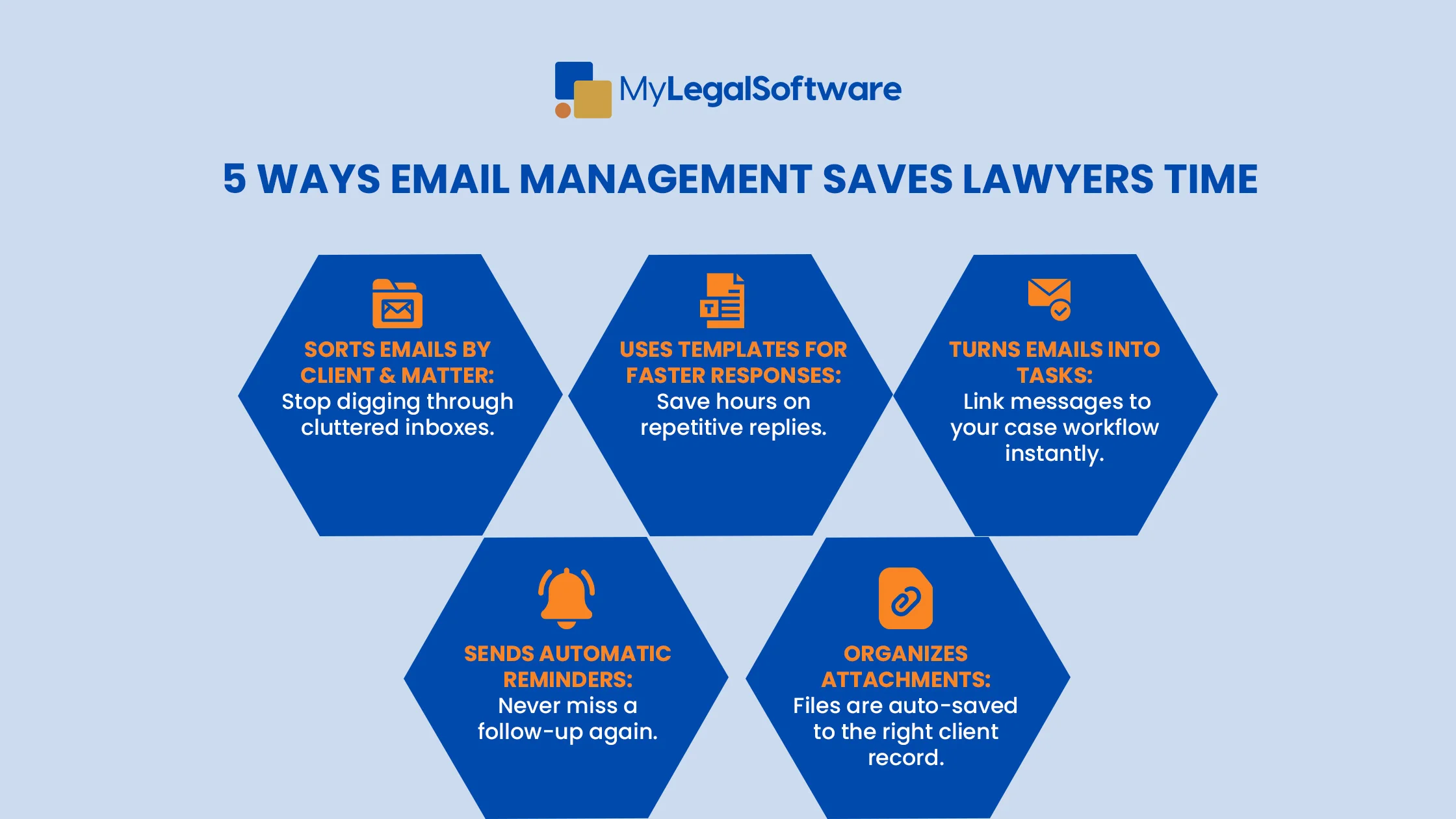
Here’s how it helps:
1. Automated Sorting and Prioritization
Emails are automatically sorted by client, matter, or urgency. Instead of scrolling endlessly, you see exactly what needs your attention first.
2. Smart Templates and Auto-Responses
Stop rewriting the same responses to client check-ins or document requests. Email templates speed-up communication and reduce errors.
3. Seamless Integration with Case Management
When your email management software for lawyers integrates with your case management system, messages become actionable tasks. Attachments are automatically saved to the right client file.
4. Built-In Reminders and Follow-Ups
No more mental juggling. If a client hasn’t sent that affidavit or your opposing counsel hasn’t replied, the system nudges you automatically.
Real-World Example: A Busy Immigration Lawyer
Consider Aisha, an immigration attorney handling dozens of family-based cases. Before automating her inbox:
- She manually searched for supporting documents.
- She missed follow-ups buried in threads.
- She spent evenings catching up on emails she failed to handle during court days.
After implementing MyLegalSoftware, her workflow changed dramatically:
- Client emails got auto-tagged by case and linked to her case management dashboard.
- Document requests were automatically sent with clear instructions.
- Follow-up reminders were triggered if a client failed to respond in three days.
The result? Fewer mistakes, faster responses, and actual time for billable work — and maybe even a weekend off.
What Are Some Key Features of MyLegalSoftware.com for Email Management
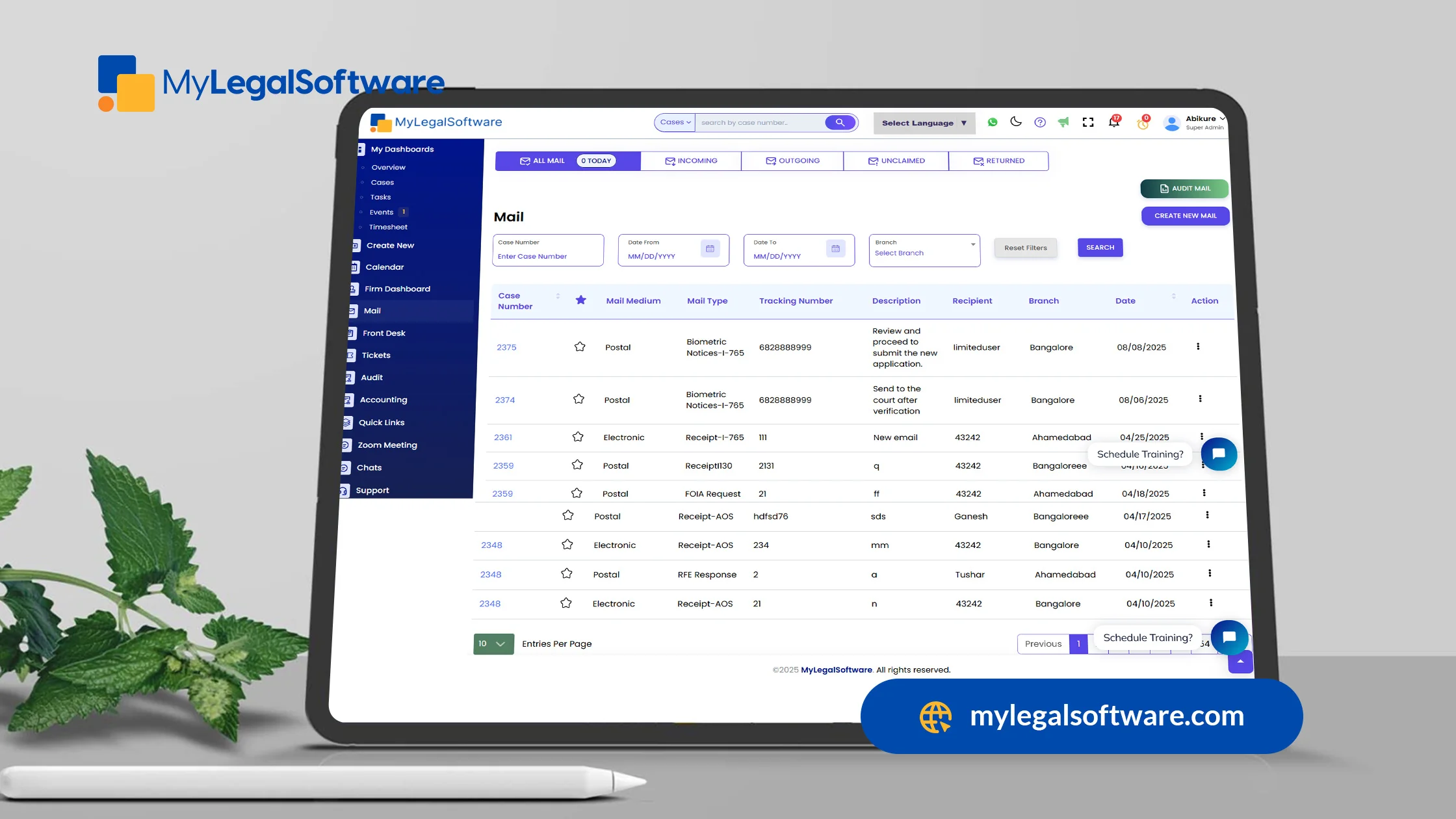
If you’re looking for tips for managing email as a lawyer, a modern tool like MyLegalSoftware covers every base. Here’s what sets it apart:
- Inbox Organization: Auto-sorts emails by matter, priority, and deadlines.
- Case Integration: Emails and attachments link directly to client files.
- Task Creation: Turn any email into an actionable task in one click.
- Template Library: Respond to routine emails in seconds.
- Smart Reminders: Never forget to follow up or file a critical document.
- Immigration-Friendly Automation: Pre-built workflows for common USCIS processes and document requests.
In short, it’s not just email management—it’s full legal workflow automation for busy firms.
Step-by-Step Guide to Implementing Email Management Software
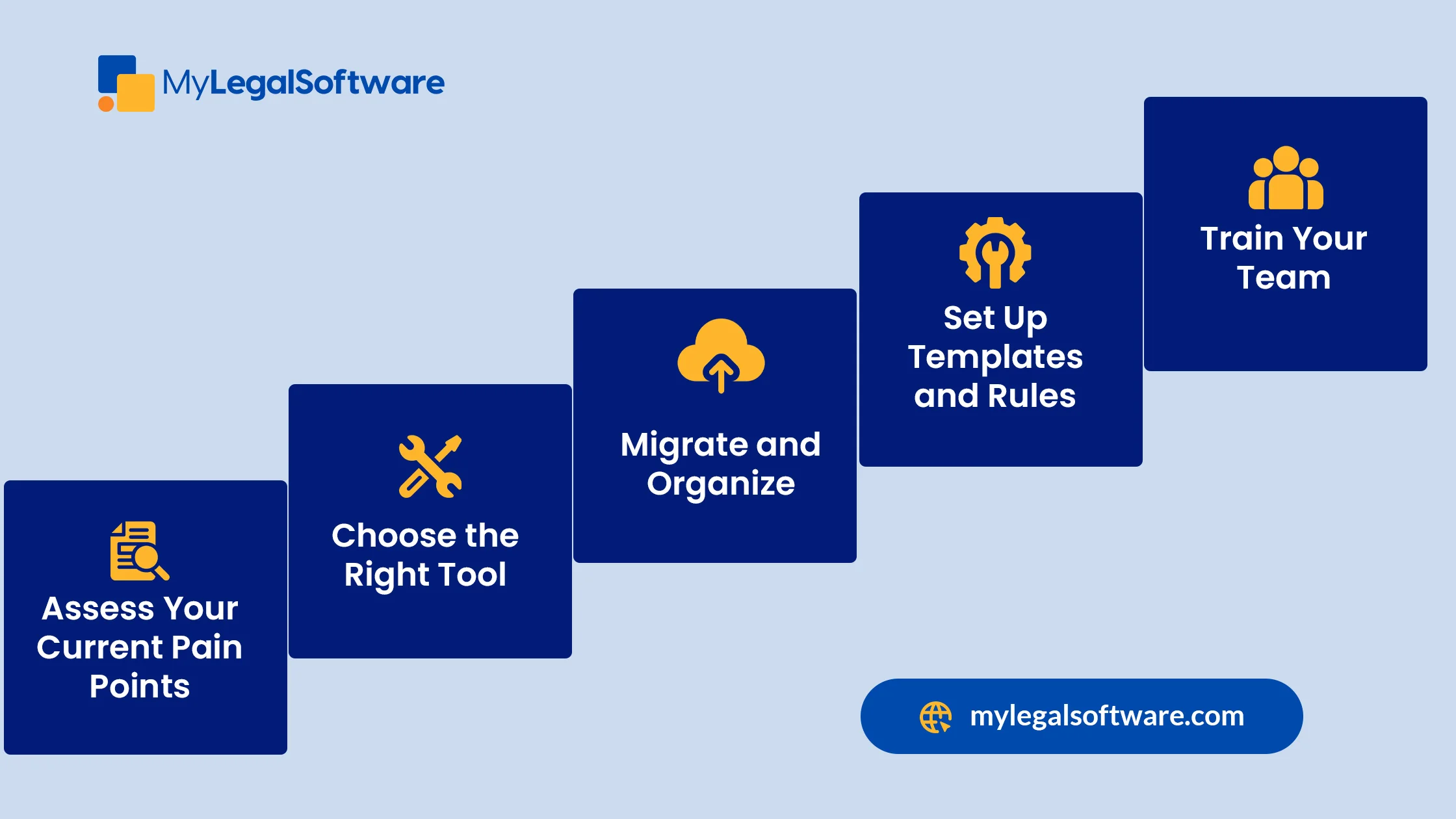
1. Assess Your Current Pain Points
Identify where your firm is losing the most time—manual sorting, missed follow-ups, or document chaos.
2. Choose the Right Tool
Look for software that integrates with your existing email (Outlook, Gmail) and case management system.
3. Migrate and Organize
Import existing cases and emails. MyLegalSoftware automatically categorizes them for a clean start.
4. Set Up Templates and Rules
Customize auto-tagging rules and response templates for your practice areas.
5. Train Your Team
Show your staff how to convert emails into tasks, use reminders, and rely on the dashboard instead of drowning in inboxes.
What Are the Best Practices for Law Firm Email Management?

Even with the best software, smart habits amplify results. Here are email management tips for lawyers that work:
- Check emails in batches, not constantly.
- Use clear subject lines to make searches easier later.
- Archive or delete non-essential messages weekly to stay lean.
- Automate document requests whenever possible.
Combine these practices with MyLegalSoftware, and your firm’s email management transforms from stressful to seamless.
Why This Matters for Billable Hours and Sanity

Every email you manage more efficiently is a minute you can spend:
- Preparing for trial instead of hunting for attachments
- Meeting with clients instead of resending forms
- Actually leaving the office at a reasonable hour
The compounding effect over a week—or a year—is huge. That’s why email management for lawyers focuses on reclaiming control over your day.
Save Time, Reduce Stress and Serve Clients Better
In a world where law firms are flooded with communications, email management software is no longer optional for lawyers—it’s a competitive advantage.
MyLegalSoftware turns inbox chaos into an organized, automated workflow. You’ll save hours each week, reduce the risk of errors, and give your team the bandwidth to focus on billable work and exceptional client service.
Ready to reclaim your time?
Schedule a free demo with MyLegalSoftware.com and see how effortless legal email management can be.
Frequently Asked Questions
-
What is email management for lawyers?
-
How do I manage email overload as a lawyer?
-
Why is email management software for lawyers worth it?
-
Does MyLegalSoftware.com work for immigration lawyers?
-
What are some quick email management tips for lawyers?
It’s the use of tools and best practices to organize, sort, and automate law firm emails, saving time and reducing errors.
Use batch checking, auto-filters, and software like MyLegalSoftware.com to categorize, prioritize, and automate follow-ups.
It prevents missed deadlines, increases billable time, and reduces stress by turning chaotic inboxes into structured workflows.
Yes! It includes templates and automation for USCIS forms, document reminders, and client communication tracking.
Use templates, schedule email blocks, archive closed matters, and rely on smart reminders to stay organized.







