

Every law firm wants to grow, but not all track where that growth actually comes from. That’s where practice area metrics make the difference.
They turn opinions into data and show you exactly where your firm is succeeding, and where it’s falling short. With that insight, you can identify areas that need improvement and make more informed growth decisions.
Let’s talk about what to track and how to use them to make better decisions.
What’s the Use of Practice Area Metrics?
You can’t manage what you don’t measure. Metrics reveal which practice areas generate profits, grow rapidly, or consume time and resources. They help you identify issues such as declining client satisfaction and guide informed investments in hiring, pricing, marketing, and technology.
What Should You Track?
Your data should tell a story about revenue, demand, efficiency, and client health. You want to measure outcomes that will guide business decisions.
Start with these categories:
- Revenue
- Gross and Net Revenue.
- Profit Margin by Practice Area.
- Revenue per Lawyer.
- Demand
- Leads and Conversion Rate
- Pipeline Value and Win Rate.
- Efficiency
- Utilization, Realization, and Collection Rates.
- Average Matter Cycle Time.
- Client Health
- Retention Rate, Client Value, and Net Promoter Score.
- Market Share Indicators.
- Risks
- Appeals, RFE Rates, Write-offs, and Compliance Incidents.
Metrics That Matter Most at Each Stage
Always remember that what matters for a solo lawyer won’t move the needle for a large firm.
Solo or Boutique (1–10 people)
Focus on RPL, Conversion Rate, ACV, and Utilization. Your focus will be to build stability and cash flow.
Growing Firm (10–50)
Track Profit Margin, Pipeline Value, Realization, and Collection. You’re deciding what to scale and where to invest.
Scaling or Multi-Office (50+)
Watch Margin, Market Share, Client Retention, and Quality. You’re optimizing efficiency and controlling costs.
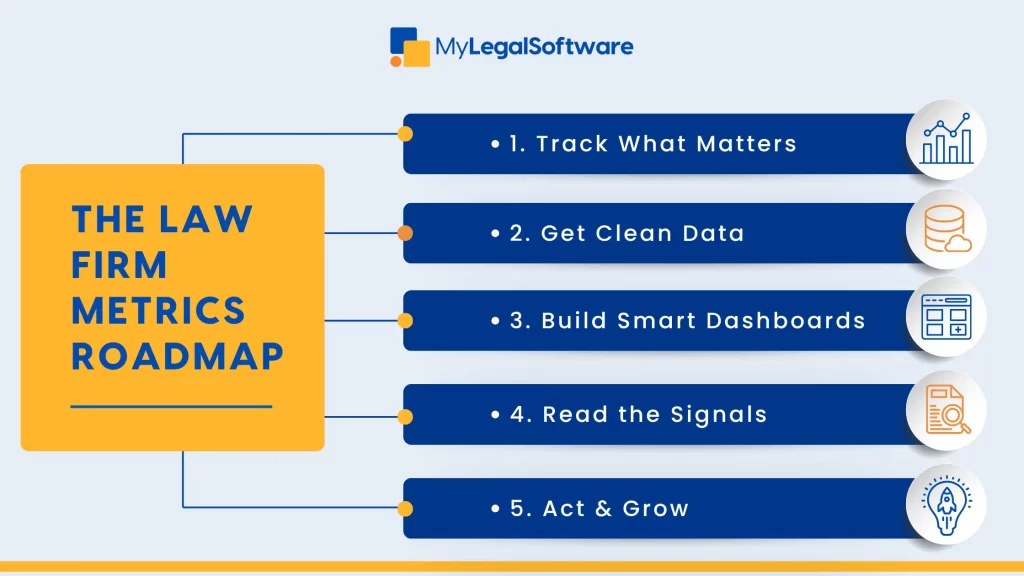
Track what matters, clean it up, build smart dashboards, read the signals, act on it, and grow.
Collecting Reliable Data
Here’s how to avoid confusing data
- Have a single source of truth – use one system for time, billing, and case management. MyLegalSoftware is a case management system (CMS) that offers all these in one secure platform.
- Define ownership – each practice lead is responsible for their own numbers.
- Standardize definitions – decide what counts as a lead or billable hour.
- Automate – connect your CMS to your BI tool nightly.
- Train your team – time logs and tagging are non-negotiable.
If your inputs are messy, your strategy will be subpar.
Create Dashboards That Inform
Your dashboard should show the following information:
- Weekly (Ops): utilization, open matters, aged receivables.
- Monthly (Management): revenue vs target, margins, new leads, realization, collection.
- Quarterly (Leadership): trend lines, client churn, resource plan, expansion opportunities.
Ensure you can view all of these on one screen.
How to Read the Numbers
Data without context can be misleading. So, familiarize yourself with each trend’s meaning.
- Growing revenue but shrinking margin? Check pricing and realization.
- Big pipeline but low conversion? Review intake and proposals.
- High utilization but poor win rate? The team is overworked, and you need to rethink priorities.
- Low client value but lots of leads? Raise entry pricing or bundle services.
Tip: If a practice area’s margin, pipeline, and retention all drop for two quarters straight, review it.
A Guide to Target Benchmarks
Here’s a sample:
- Utilization: 60–75%.
- Realization: 80–95%.
- Collection: 90%+.
- Conversion: 15–35%.
- Profit Margin: 25–40%.
Benchmarks are guardrails. Adjust them to your reality.
Profit Levers to Test
Want to raise profit? Test, measure, repeat.
Try these:
- Value-based pricing for common matters.
- Blended rates that balance junior and senior roles.
- Retainer agreements to ensure steady cash flow.
- Alternative fee structures to enhance cost predictability.
Run pilots on low-risk clients first and track the impact.
A Case Study
Firm A has 35 lawyers across three practice areas: Corporate, Immigration, and Litigation.
The Immigration unit generated strong revenue but struggled with negative margins. Data revealed a long case cycle, high write-offs, and a low Net Promoter Score.
To address this, the firm centralized client intake, created standardized templates, built a dedicated paralegal team, and introduced fixed fees for routine filings.
Six months later, realization rates improved, write-offs dropped, and margins turned positive.
Potential Errors
- Tracking too many KPIs.
- Bad data hygiene.
- No metric owners.
- Chasing vanity stats.
Start small and be consistent. Then later, you can scale your insight.
MyLegalSoftware as Your Growth Partner
When you track the right metrics, you eliminate guesswork and make informed decisions. You’ll see where to invest more, where to scale back, and how to keep your firm profitable. The right technology makes it all easier to manage.
MyLegalSoftware can be your partner in growing your legal practice. It’s a case management software built for law firms of all sizes.
You can handle appointments, billing, communication, and case updates—all in one secure platform.
It’s how smart firms turn data into direction.
Start a Free Trial or Schedule a Demo.

Frequently Asked Questions
What are practice area metrics?
Numbers that show how each part of your firm performs, such as revenue, profit, efficiency, and client health.
Why should my firm track them?
They turn guesswork into evidence. You can see which practice areas grow profitably and which drain resources.
Which metrics matter most?
Revenue, profit margin, utilization, realization, client retention, and pipeline conversion. Focus on what matters for your firm’s size and stage.
How often should I review metrics?
Weekly for operations, monthly for management, quarterly for leadership decisions. You can tweak it to match your firm’s stage of growth.
Can technology help?
Yes. Legal analytics software or a CMS like MyLegalSoftware keeps your data clean and gives you actionable insights.
What’s the first step to get started?
Define your key performance indicators, assign metric owners, and ensure data is accurate. Then build dashboards to guide decisions. A smarter approach would be to use a one-stop CMS like MyLegalSoftware.







