
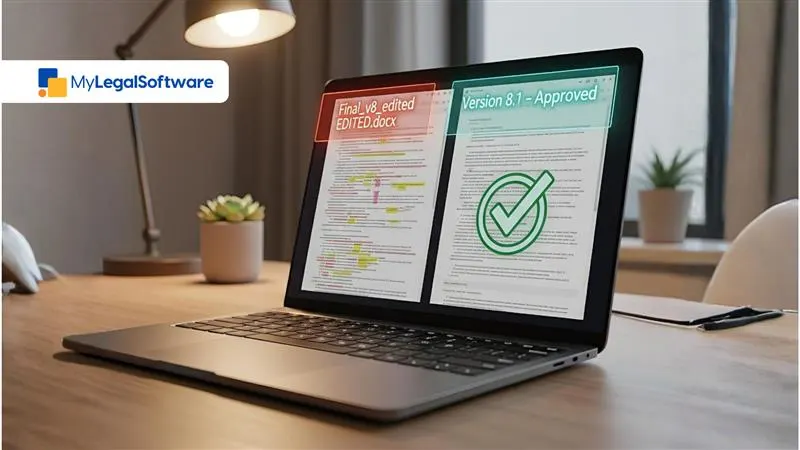
Are your files named like this: contract-v5-final-final.docx? Or are your legal team members always searching for the latest draft of a document?
If your answer is yes to either of the questions, it’s time for a better system.
Legal teams waste hours each week trying to find the newest drafts. According to reports, nearly 48% of professionals struggle to find documents quickly, while another 47% say their filing system is difficult to navigate.
Thankfully, version control can be a lifesaver. It keeps track of every change, logs who did what and when, and ensures everyone is working from the same source of truth.
What Is Version Control for Legal Documents?
Legal document version control provides structure. It tracks a contract’s evolution, every edit, comment, and approval, so no one works on the wrong file.
Unlike basic storage tools, legal version control records who changed what and when. It’s built for precision. And precision in law is a must.
Courts tend to ask for change histories for sensitive agreements like employment contracts and compliance reports. A legal practice without version control gambles with its reputation.
Why Version Control is Necessary
Ask yourself:
- Have you ever gotten confused by a filename?
- Have you ever worked on an outdated version of a file?
- Have you ever spent hours figuring out which draft was the right one?
If you’ve answered yes to any of these questions, you already know why version control matters.
Version control helps you gain control and peace of mind.
What Modern Legal Version Control Offers
A good legal version management system brings these to your workflow:
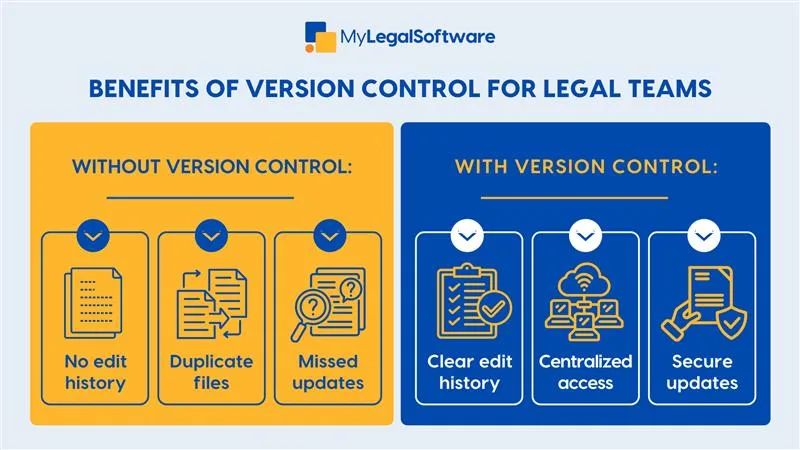
- Automated versioning: Every change is automatically timestamped and becomes a new version.
- Detailed tracking: You can see who edited what and when.
- Comment and redline layers: You never lose context behind changes.
- Centralized access: Everyone works from the same version, with permissions in place.
- Side-by-side comparisons: Instantly spot what’s new or missing.
- Audit trails: Keep records that hold up under scrutiny.
Lawyers need complete version histories, access control, and secure collaboration. That’s what legal document collaboration tools help you with.
Version Control in Legal Contract Management
Legal contracts are binding commitments. One mistake can cost a client, a case, or your credibility.
Here’s why every firm needs version tracking for lawyers built into their system:
- Regulatory compliance demands it
Finance, healthcare, and government contracts all require detailed audit trails. You must show exactly what changed and who approved it. If you can’t, you risk penalties or failed audits.
- Client relationships depend on it
Imagine sending an outdated contract during a negotiation. It’s a small slip, but it makes your team look careless. Clients don’t want lawyers who will have them scrambling.
- Legal liability
Courts can request document histories. If your firm can’t produce a record, it can hurt your case and your credibility.
- Time costs multiply
Teams waste hours looking for the latest version of a file. Multiply that by your billable rate, and the cost rises.
- Risk increases
Without version control, small errors snowball into big problems. Version control minimizes such risks.
Benefits of Effective Version Control
When legal teams get version control right, the payoff is huge.
- Audit trails that hold up in court
Disputes happen. When they do, your best defense is proof, such as timestamps, edit logs, and approval records that show you did everything by the book.
- Faster collaboration
Stop sending drafts over email. With law firm version tracking tools, every change happens in one shared document. Everyone is in sync instantly.
- Instant rollback
If a client wants to revert to older terms, you can restore that version in seconds.
- Easy approvals
Partners can approve contracts from anywhere. They can see what has changed, skip what hasn’t, and sign off faster.
- Reduced liability
If a client disputes a change, you can show data proving when they approved it.
- Client confidence
Clients notice when your firm runs efficiently. Clean workflows show professionalism and earn trust.
How to Implement Version Control in Your Firm
You can’t fix version chaos overnight, but you can start slow.
Step 1: Audit your current setup
Where are your files stored? Who edits them? How many “final” versions exist?
Step 2: Pick a legal version control tool
Generic file storage won’t cut it. Look for an attorney drafting software with:
- Redline comparison
- Real-time collaboration
- Role-based access
- Secure audit trails
Step 3: Map your workflow
Define how drafts move through your team from creation to approval. Set naming rules, define permissions, and automate where possible.
Step 4: Migrate in phases
Don’t move everything at once. Start small, then scale.
Step 5: Train your team
Show them how to compare versions, roll back edits, and collaborate. Make version control their second nature.
Step 6: Review regularly
Schedule quarterly audits. Remove outdated drafts, refine your process, and adapt as your firm grows.
Practice Efficient Case Management with the Right Tool
If your team is still juggling multiple “final” drafts, it’s time to stop the confusion.
MyLegalSoftware was created to help law firms work smarter, with features like file tracking, secure access, and easy collaboration.
Start a free trial or book a demo today to get started.
Frequently Asked Questions
What is version control in a law firm?
It’s the system that keeps track of every change in your legal documents. It serves as a history log, allowing you to view who made changes and when.
Why do lawyers need version control?
One wrong file version can cost a client or a case. Version control helps you stay organized. It saves time and protects your firm from document mix-ups.
Does version control prevent legal drafting mistakes?
Every change gets recorded automatically. You can compare drafts side by side, roll back edits, and see what has been added or removed. That means fewer errors.
What’s the difference between version control and regular document saving?
Saving only gives you the latest version of the file. Version control gives you every version. You can trace edits and restore older drafts. It maintains transparency.
Is version control secure enough for sensitive legal documents?
Go for a tool that has industry-standard security features. MyLS uses encrypted storage and permission-based access. That means only authorized users can view or edit files.
What if my team isn’t tech-savvy?
MyLS was built for lawyers, not IT experts. It’s intuitive and comes with full onboarding support. Your team will quickly get the hang of it.







