

Karen, a senior associate at a bustling law firm, has just come into work and quickly finds herself swamped. A good number of client calls come in. With her free hand, she’s reviewing case notes. She’s also coordinating with her paralegal—all at once. She opens her inbox and freezes: a critical document is buried somewhere between 12 other unread emails. Meanwhile, a client’s question about an upcoming hearing goes unanswered. The stress is real, and the clock is ticking.
Now, imagine yourself in her shoes. What if there was a way to keep every case, client update, and document in one place so your team stayed aligned and no detail slipped through the cracks? That’s precisely what legal collaboration tools do—they help law firms like yours stay organized, reduce mistakes, and give your team more time to focus on practicing law.
Why Do Law Firms Need Collaboration Tools?
The Daily Struggles Without Modern Software
Managing a law firm without collaboration software can feel like herding cats:
- Losing documents or missing deadlines because files are scattered.
- Endless email chains, making communication confusing.
- Repeating work because someone didn’t know a task was already handled.
- Struggling to track billable hours accurately.
Even small inefficiencies add up—lost time, frustrated staff, and unhappy clients.
How Collaboration Tools Help
Having the right software changes everything:
- Centralized case files: Everything from emails to contracts in one secure place.
- Smart task management: Assignments and reminders keep everyone on track.
- Time tracking and billing: Reduce errors, maximize billable hours.
- Team communication: Real-time updates mean no one is out of the loop.
Think of it as giving your law firm a digital backbone—it supports your work instead of slowing you down.
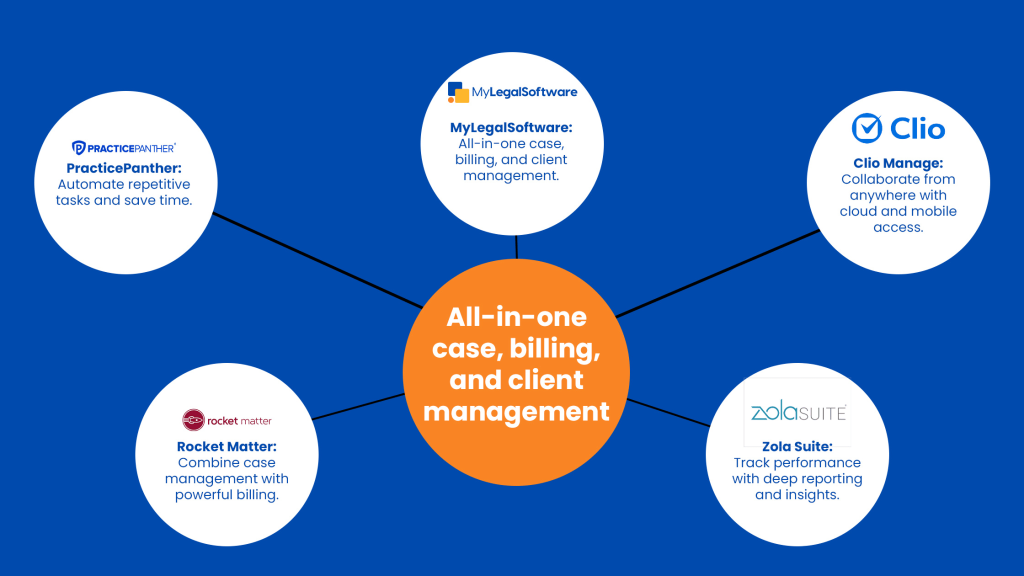
What Are the Top 5 Collaboration Tools for Law Firms in 2025?
-
MyLegalSoftware
Why it’s loved by law firms:
MyLegalSoftware combines case management, time tracking, client portals, and secure document sharing in one platform.
Key Features:
- Keep every case and client detail organized.
- Automate workflows and task reminders.
- Secure cloud storage for sensitive documents.
- Integrated billing and time-tracking functionality.
Real-world example: Firms using MyLegalSoftware have fewer missed deadlines, faster client onboarding, and smoother internal communication—giving lawyers more time for the work that matters.
-
Clio Manage
Why it works:
Clio Manage is perfect for firms of all sizes and offers a flexible, cloud-based solution for law firm project management.
Key Features:
- Customizable dashboards to monitor cases and tasks.
- Client portals for easy communication.
- Mobile-friendly interface for lawyers on the go.
- Integrates with accounting and document tools.
Example: A small law firm reduced document retrieval time by 40%, freeing up staff to focus on clients instead of chasing files.
-
PracticePanther
Why it’s useful:
PracticePanther emphasizes automation to take repetitive tasks off your plate.
Key Features:
- Auto-create and assign tasks.
- Secure client portals for communication.
- Syncs with email, calendars, and accounting tools.
- Automated billing and time tracking.
Example: Firms using PracticePanther streamline client intake and reduce billing errors, improving cash flow and reducing stress.
-
Rocket Matter
Why it’s trusted:
Rocket Matter is ideal for firms that want case management and billing together.
Key Features:
- Matter-centric dashboards.
- Collaborative document management.
- Billing and invoicing tools.
- Reporting for productivity tracking.
Real-world application: Shared task lists and workflows help teams stay aligned, reducing missed deadlines and client frustration.
-
Zola Suite
Why it stands out:
Zola Suite is for firms needing robust legal practice management tools with deep reporting.
Key Features:
- Case and matter management.
- Integrated email and document management.
- Accounting and trust accounting support.
- Customizable workflows for complex practices.
Example: A mid-sized firm cut administrative time in half, letting attorneys spend more hours on billable work.
Implementing Collaboration Tools in Your Law Firm
Step 1: Identify Pain Points
Map your workflows. Where are the bottlenecks? Which tasks repeat unnecessarily?
Step 2: Choose the Right Tool
Look for features, scalability, and integrations. The right software should match your team’s workflow, not the other way around.
Step 3: Train Your Team
Even the best software fails without adoption. Run training sessions, create guides, and encourage feedback.
Step 4: Monitor and Adjust
Track metrics like task completion, billable hours, and client satisfaction. Tweak workflows for optimal efficiency.
Traditional Methods vs. Modern Collaboration Tools
Without software:
- Endless email chains.
- Documents scattered across drives.
- Staff chasing information instead of clients.
With modern tools:
- Centralized case files.
- Streamlined communication.
- Automated repetitive tasks.
- More time for billable work and client care.
The difference goes beyond convenience—it’s measurable productivity and peace of mind.
Best Practices for Adoption
- Pilot first: Start with one team or department.
- Encourage feedback: Adjust the software setup based on real experience.
- Leverage integrations: Connect email, accounting, and document storage systems.
- Prioritize security: Protect client information and maintain compliance.
Make Your Firm Work Smarter
Modern law firms thrive on efficiency, collaboration, and accuracy. Using tools like MyLegalSoftware, Clio, or Zola Suite helps your team stay organized, reduce errors, and focus on clients instead of admin.
Next Step: Schedule a free demo with MyLegalSoftware today and see how our platform can transform your law firm’s workflow—because your team deserves a smarter way to work.

Frequently Asked Questions
- What are the top collaboration tools for law firms?
- MyLegalSoftware, Clio Manage, PracticePanther, Rocket Matter, Zola Suite
- How do these tools help law firms?
- Keep files in one place
- Automate tasks and billing
- Improve team communication
- What features should I look for?
- Case and document management
- Time tracking and billing
- Client portals
- Task and calendar management
- How do I start using them?
- Identify your needs
- Choose the right tool
- Train your team
- Monitor and adjust
- Are these tools safe for sensitive data?
- Yes. Look for encryption, access controls, and compliance with legal standards







