

In 2026, professionals who handle complex documentation, timelines, and communication benefit from structured digital case management systems. A well-organized virtual environment helps teams maintain clear records, coordinate work across locations, and track updates efficiently.
The following strategies highlight important virtual case management practices that help maintain clarity and organization in modern workflows.
1. Organize Cases with Structured Digital Records
One of the foundations of effective virtual case management is maintaining well-structured digital records. Instead of relying on scattered documents or disconnected storage systems, many organizations are shifting to centralized case management software platforms.
Structured case records typically include:
- Case numbers or reference IDs
- Document history and uploaded files
- Communication records
- Important deadlines and reminders
- Notes from team members
A centralized digital case management environment helps users quickly locate information and reduces confusion when multiple individuals are involved in the same case.
2. Use Cloud Case Management for Remote Collaboration
Remote work has made cloud case management increasingly important. When files and case updates are stored in cloud environments, team members can access information regardless of location.
Key advantages of cloud-based systems include:
- Access to documents from different devices
- Real-time updates when case files change
- Shared visibility across teams
- Reduced dependence on physical paperwork
With virtual case management, cloud environments help maintain consistency when teams operate from multiple offices or remote workspaces.
3. Track Case Progress with Clear Status Updates
Tracking case progress is an important part of e-case management. Without clear status updates, it becomes difficult to understand where a case currently stands.
Teams often maintain progress tracking through:
- Status labels for each stage of a case
- Timeline tracking for submissions and responses
- Document review indicators
- Communication logs
Using organized status indicators in case management software allows teams to understand the progress of multiple matters without reviewing every document individually.
4. Standardize Communication with Virtual Client Management
Communication plays an important role in any case workflow. In virtual environments, structured virtual client management practices help maintain clarity in interactions with users, visitors, or stakeholders.
Some common communication practices include:
- Using centralized messaging systems within case management tools
- Recording key communication summaries
- Storing shared documents in organized folders
- Scheduling digital discussions or updates
Clear communication records help maintain a consistent reference point for everyone involved in a case.
5. Maintain Document Version Control
When multiple people edit or review case materials, document version control becomes essential. Modern digital case management systems help track document updates and maintain previous versions.
Version control practices may include:
- Recording document revision history
- Assigning editing permissions
- Storing original files alongside updated versions
- Tracking who updated the file and when
This process helps maintain transparency when reviewing documents or preparing case summaries.
6. Use Central Dashboard for Case Monitoring
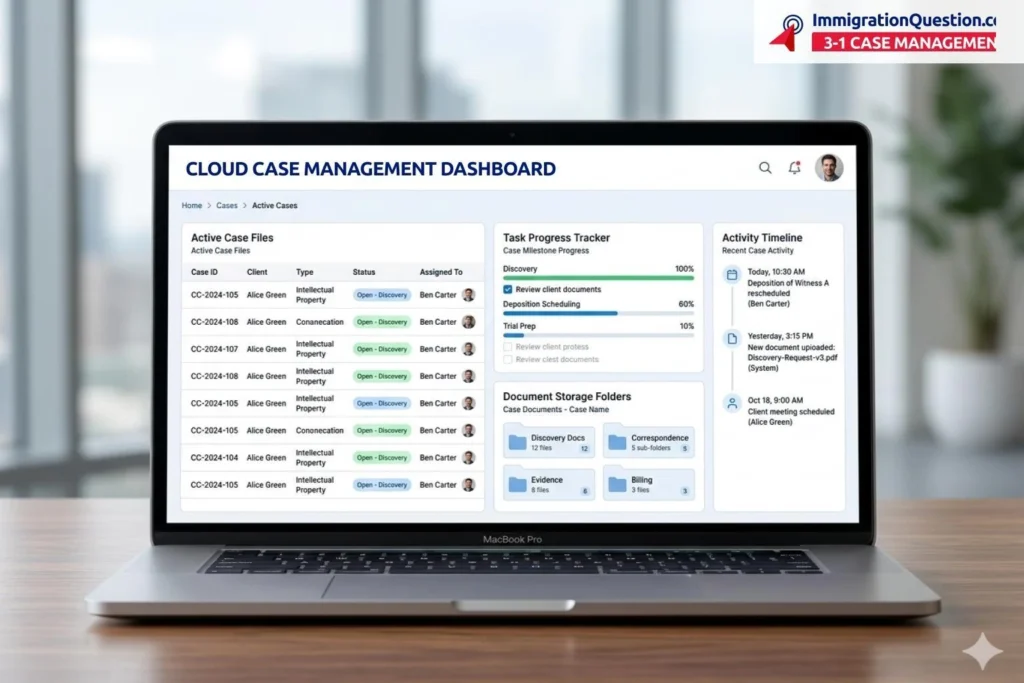
Many case management tools include dashboard features that provide a quick overview of active cases. Dashboards help teams review large volumes of information without opening each file individually.
Dashboards typically display:
- Active cases
- Upcoming deadlines
- Recently updated documents
- Communication activity
These visual summaries help users quickly understand the current state of multiple cases in a virtual case management environment.
7. Build Consistent Workflow Structures
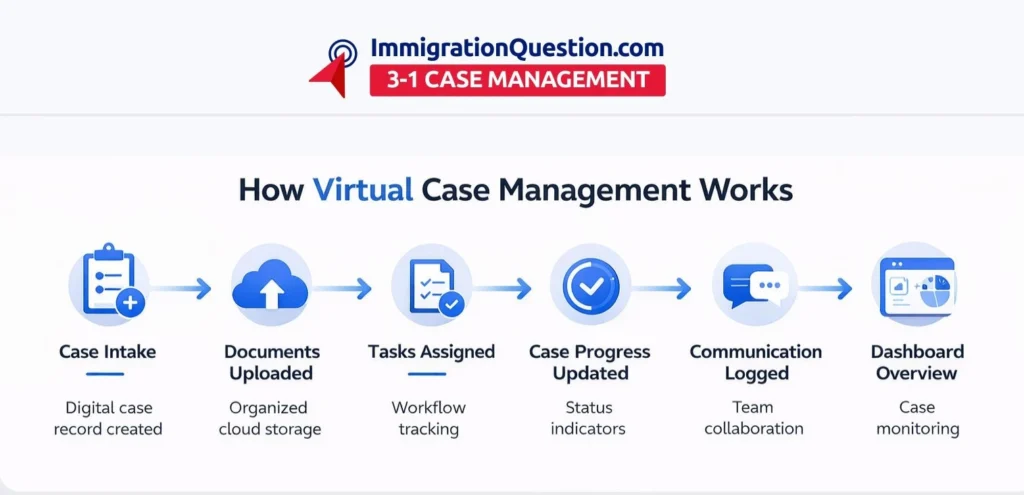
A consistent workflow helps teams process cases more efficiently. Within e-case management systems, workflows often follow structured steps that guide how information moves through the organization.
Example workflow stages may include:
- Case intake
- Documentation upload
- Case review
- Communication updates
- Status tracking
- Case completion
By defining these stages in case management software, organizations maintain consistency when handling a large number of cases.
8. Maintain Secure Access Controls
Access control is another important aspect of cloud case management. Not every team member needs the same level of access to all documents.
Many digital systems allow administrators to assign:
- Role-based access levels
- Editing permissions
- View-only access for certain records
- Document sharing limits
These controls help maintain organized information flow while supporting collaboration.
9. Review Case Data Regularly
Regular data review helps teams maintain organized records and identify missing information. Periodic checks within digital case management systems help ensure that files remain complete and up to date.
Review practices may include:
- Checking document completeness
- Updating case status labels
- Reviewing communication history
- Confirming important dates
Routine checks contribute to a more structured virtual case management workflow.
Improve Your Virtual Case Workflow
Law firms working with complex documentation often benefit from platforms that combine multiple case management functions in one environment. The ImmigrationQuestion.com 3-1 Case Management is a great option that provides a structured environment that supports virtual case management, document organization, and communication tracking within a single digital platform.
For teams navigating modern digital workflows, structured cloud case management systems help maintain organization, clarity, and consistent information sharing across remote environments.
Frequently Asked Questions
What is virtual case management?
Virtual case management refers to handling case documentation, communication, and updates in a digital environment rather than relying on physical files or in-person coordination. It often uses case management software to organize records and track case activity.
How does digital case management help organizations?
Digital case management helps teams organize documents, track case progress, and store communication records in one centralized location. This structure supports collaboration and easier access to case information.
What is the difference between cloud case management and traditional systems?
Traditional systems often rely on local servers or physical documents. Cloud case management allows users to access case information through online environments, which helps support remote collaboration.
How does e-case management support remote work?
E-case management allows team members to upload documents, track updates, and communicate within a digital workspace. This helps maintain coordination when individuals work from different locations.
What features are commonly included in case management software?
Many case management software platforms include:
- Document storage and organization
- Case status tracking
- Communication logs
- Dashboard summaries
- Access controls for different users
These features help maintain structured workflows in virtual case management environments.