
Running a modern law practice involves more than legal knowledge. Attorneys often rely on structured systems, organized attorney supplies, and carefully selected law firm products to keep case details, documents, and communication manageable.
Selecting the right combination of resources can help attorneys manage documents, schedule activities, track case information, and stay organized across multiple matters. Below is an overview of commonly used products that attorneys often consider when building an efficient practice environment.
Case Management Systems for Law Practices
Many attorneys begin their search with legal software designed specifically for case organization. Case management systems allow legal professionals to store client information, track deadlines, and organize documents in a structured digital environment.
Typical features found in case management platforms include:
- Case file organization
- Document storage and indexing
- Calendar and deadline tracking
- Internal notes and communication logs
- Task tracking across legal matters
These systems fall under the growing field of legal tech, which focuses on digital solutions that support legal work processes. Rather than relying on scattered files or multiple spreadsheets, attorneys can centralize information in a single platform designed for law practices.
When evaluating case management software, attorneys often look for platforms that align with their firm size, practice area, and workflow preferences.
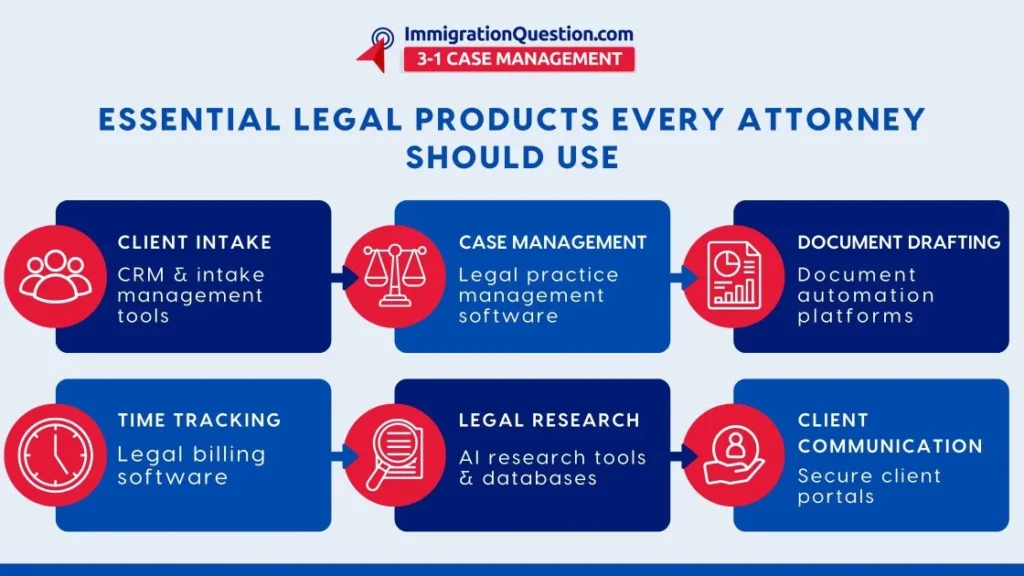
Billing and Time Tracking Platforms
Billing and time tracking systems are another category of legal tech commonly used in law practices. Attorneys often track time spent on research, drafting, communication, and case preparation.
These platforms typically allow attorneys to:
- Log billable time
- Create invoices
- Track payment records
- Generate financial reports
Accurate time tracking can help attorneys review workload distribution and maintain clear billing records. Many systems connect with case management platforms so that time entries remain associated with specific cases.
Office Equipment and Physical Attorney Supplies
Even with the rise of digital systems, physical attorney supplies remain important in many law offices. Organized workspaces can support productivity and document handling.
Common supplies used in law practices include:
- Legal-size file folders
- High-quality printers and scanners
- Document organizers and binders
- Secure file cabinets
- Notebooks for case notes
Some attorneys prefer hybrid workflows that combine digital records with physical documentation for easier review during meetings or hearings.
Maintaining reliable office equipment can help ensure that printed filings, signed documents, and archived materials remain accessible when needed.
Research Platforms and Legal Knowledge Databases
Legal research platforms represent another category of attorney resources used by many law professionals. These systems compile case law, statutes, and legal commentary in searchable databases.
Common features may include:
- Case law search functions
- Statute libraries
- Citation tracking
- Historical case references
Attorneys often rely on these systems while preparing arguments, reviewing precedents, or analyzing legal developments.
These platforms fall within the broader landscape of legal tools, although many attorneys now prefer integrated digital research systems that connect directly with case management environments.
Communication and Collaboration Platforms
Clear communication is essential in law practices that handle multiple cases simultaneously. Many firms now incorporate collaboration platforms that allow teams to coordinate case tasks and maintain internal records.
Communication platforms may include features such as:
- Secure messaging
- Internal team discussions
- Shared document editing
- Calendar coordination
For firms with remote teams or multiple offices, these platforms help maintain consistent communication across staff members.
When integrated with case management systems, communication records can remain associated with each case file for future reference.
Digital Security and Data Protection Systems
Law firms frequently handle sensitive documents and personal information. As a result, digital security systems have become an important part of many law firm products.
Common security measures include:
- Secure cloud storage environments
- Multi factor authentication systems
- Encrypted document storage
- Controlled access permissions
These systems help law offices maintain structured data protection practices while handling client documents and legal records.
Building a Structured Legal Workflow
Every law practice operates differently. A solo attorney may use a small set of digital systems and physical attorney supplies, while larger firms often adopt broader legal tech infrastructures.
When exploring different attorney resources, attorneys often consider:
- Practice area requirements
- Case volume
- Collaboration needs
- Document storage preferences
- Budget considerations
Combining digital systems with reliable office supplies can help attorneys create a balanced workflow that supports both digital and physical documentation.
A Practical Case Management Option for Attorneys
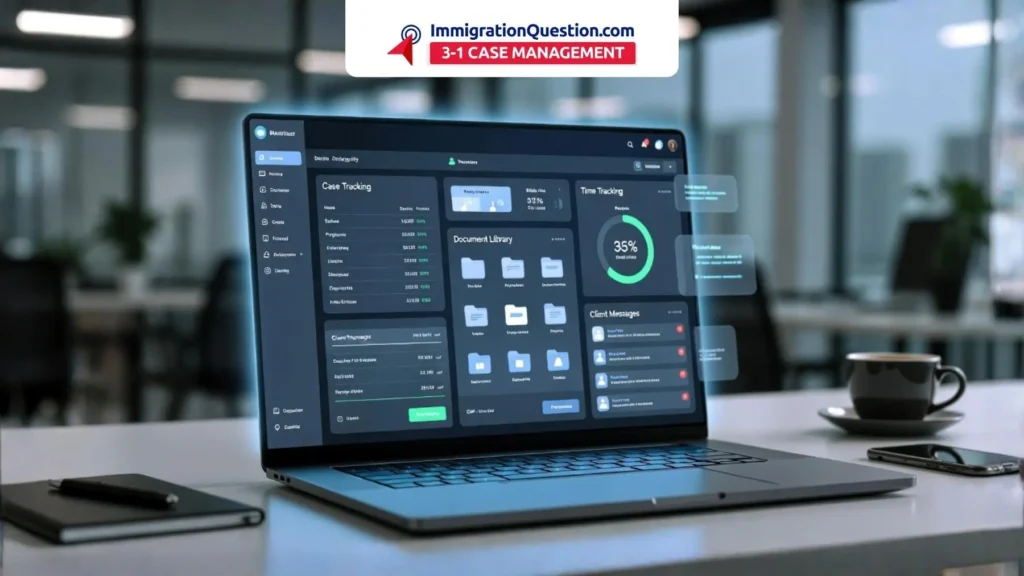
For attorneys exploring structured case management systems, the ImmigrationQuestion.com 3-1 Case Management offers a platform that combines multiple functions within a single environment.
The system is designed to support:
- Case organization
- Document management
- Communication records
Attorneys who want to centralize case information may consider reviewing the features of this platform to see how it fits into their existing workflow.
Frequently Asked Questions
1. What are common legal products used by attorneys?
Common law firm products include case management platforms, document management systems, billing platforms, research databases, and organized attorney supplies such as file folders and document storage systems.
2. How does legal tech support law practices?
Legal tech refers to digital systems designed to support legal workflows. These systems help attorneys manage case records, documents, scheduling, and internal communication more efficiently.
3. Are physical attorney supplies still useful in modern law offices?
Yes. Many attorneys still use physical attorney supplies such as legal folders, binders, and document organizers alongside digital systems for easier document review and archiving.
4. What should attorneys consider when choosing legal software?
Attorneys often review features such as case organization, document storage, security features, billing integration, and compatibility with existing systems.
5. Can case management systems replace multiple legal tools?
Many case management platforms combine several functions including document storage, task tracking, and communication records. This integration may reduce the need for separate systems in some law offices.