
Imagine that it’s a Monday morning and your inbox is overflowing with client emails, court notices, and reminders. Your calendar is packed, documents are scattered across multiple drives, and you are racing against deadlines for multiple cases. Sounds familiar, right? What if your firm could manage every case, client update, and document in one dashboard? That is exactly the problem that modern law firm case management software solves.
Efficient software helps attorneys and staff organize workloads, streamline communications, and reduce errors, freeing up time to focus on billable work and client satisfaction.
Why Case Management Software Matters
Without modern software, even experienced legal teams struggle. Documents get lost, deadlines slip, and internal communication can be messy and fragmented. Traditional methods—spreadsheets, scattered email threads, and piles of paperwork—leave little room for proactive planning. The right software consolidates these challenges into one platform. It allows you to track every case, manage deadlines, and maintain a complete record of client communications. For small firms, this can be a game-changer. Instead of scrambling to find documents or chasing down colleagues for updates, attorneys can see everything in one place. Time tracking becomes more accurate, billing is simplified, and teams can collaborate efficiently without the confusion of multiple disconnected tools.
Features That Make a Difference
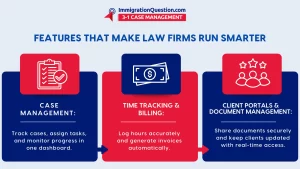
Not all legal software is created equally. The best solutions offer more than just a filing cabinet in the cloud. They combine case management with time tracking, client portals, document storage, and reporting. Case tracking lets attorneys monitor progress, assign tasks, and follow every development without flipping between systems. Time tracking and automated billing ensure that work is properly accounted for, eliminating lost revenue from untracked hours. Client portals keep everyone on the same page, giving clients secure access to documents and updates while reducing the endless back-and-forth of email. And while a document management system may seem basic, integrated version control and centralized storage make retrieval effortless and reduce costly mistakes.
Implementing new software can feel intimidating, especially for firms accustomed to traditional workflows. But a step-by-step approach works: start by evaluating what your firm truly needs, choose software that fits those requirements, map out existing cases and documents for migration, train your team thoroughly, and then monitor usage to refine processes. The goal is not just adoption, but seamless integration into everyday work. When used correctly, the software doesn’t just organize- it empowers. Attorneys and staff can focus on client service and strategy rather than the tedium of administration.
Comparing Old Ways to New
Think about the old way of running a law office. Deadlines were jotted on whiteboards or notebooks. Documents were tucked into cabinets and spreadsheets. Communication was pieced together through long email chains. Sure, it worked- but just barely. With integrated case management software, all of these functions come together. Firms can track case progress, monitor team performance, and produce reports in seconds. Instead of wasting hours searching for information or double-checking deadlines, legal professionals can make informed decisions, manage workloads efficiently, and provide better client service. The difference is not subtle; it is the kind of operational clarity that can make a small law firm feel like a large, polished practice.
Best Practices for a Smooth Transition
Even the best software will fail if teams do not use it consistently. Encourage every member of your firm to adopt the platform fully and invest in training and refresher sessions to ensure everyone is on the same page. Customize workflows to match your firm’s specific needs rather than forcing your processes into the software’s default structure. Over time, leverage analytics and reporting tools to monitor efficiency, identify bottlenecks, and refine your processes. By treating software as a partner rather than a tool, firms can reap long-term gains in productivity, client satisfaction, and revenue.
Take the Leap
At the end of the day, law firm case management software goes beyond technology- it is about rethinking how legal work is organized and executed. Cloud-based solutions save time, reduce errors, and allow attorneys to focus on what they do best: practicing law and serving clients. If your firm is still juggling spreadsheets, emails, and paper files, now is the time to make a change. Schedule a free demo with ImmigrationQuestion.com 3-1 Case Management, today and see how one platform can transform your law firm’s workflow, making your team more efficient, responsive, and ready for whatever cases come next.

Frequently Asked Questions
- What is law firm case management software?
Law firm case management software is a digital platform that helps attorneys and staff organize cases, track deadlines, manage documents, and communicate with clients from a single system.
- How does case management software improve law firm efficiency?
It centralizes tasks, automates time tracking and billing, and provides easy access to case files, which reduces errors and frees up attorneys to focus on billable work.
- What features should I look for in legal case management software?
Key features include case tracking, document management, time and billing tools, client portals, and reporting or analytics capabilities.
- Can small law firmsbenefitfrom case management software?
Yes. Even small firms gain efficiency, better organization, and more accurate billing by using software designed to integrate all aspects of case and client management.
- How do I implement law firm case management software successfully?
Start by evaluating your firm’s needs, choose software with the features that match, train your team, migrate existing data carefully, and monitor usage to optimize workflows over time.