
It’s early in the day, and a paralegal is already juggling three tasks. A client is calling for a case update, an attorney is asking for documents from last week’s filing, and the court deadline for another case is approaching fast.
The information exists somewhere, but it is scattered across folders, emails, and spreadsheets.
Moments like this happen every day in law firms and court offices. The real question is simple: What if every case detail, document, deadline, and communication could live in one organized system?
That is where modern court software solutions come in. Yet many professionals still ask the same question: what is the difference between court case software and court case management software?
Understanding that difference can help law firms choose the right technology and avoid costly workflow problems.
Understanding Court Case Software
Court case software usually refers to a tool designed for handling specific case-related tasks.
It often focuses on limited functionality tied directly to case data or documentation. Many smaller firms adopt these tools first because they appear simple and affordable.
Typical functions of basic court case software include:
- Storing case files and documents
- Tracking court dates and deadlines
- Recording basic case information
- Managing filings and legal records
These tools can certainly help replace paper files and manual spreadsheets. However, they usually operate as standalone systems rather than fully integrated platforms.
For growing firms or busy legal teams, this limitation can quickly become a bottleneck.
What Is Court Case Management Software?
Court case management software goes far beyond simple case tracking. It provides a full court case management environment that connects every aspect of a legal matter in one centralized system.
Instead of handling just documents or deadlines, it manages the entire lifecycle of a case. A robust court case management platform typically includes:
- Case tracking and matter organization
- Client communication tools
- Document automation and storage
- Deadline and court calendar management
- Billing and time tracking
- Team collaboration tools
- Secure client portals
In other words, it functions as the operational backbone of a legal practice or court system.
With the right court management software, attorneys and staff no longer need to jump between multiple systems to complete routine tasks.
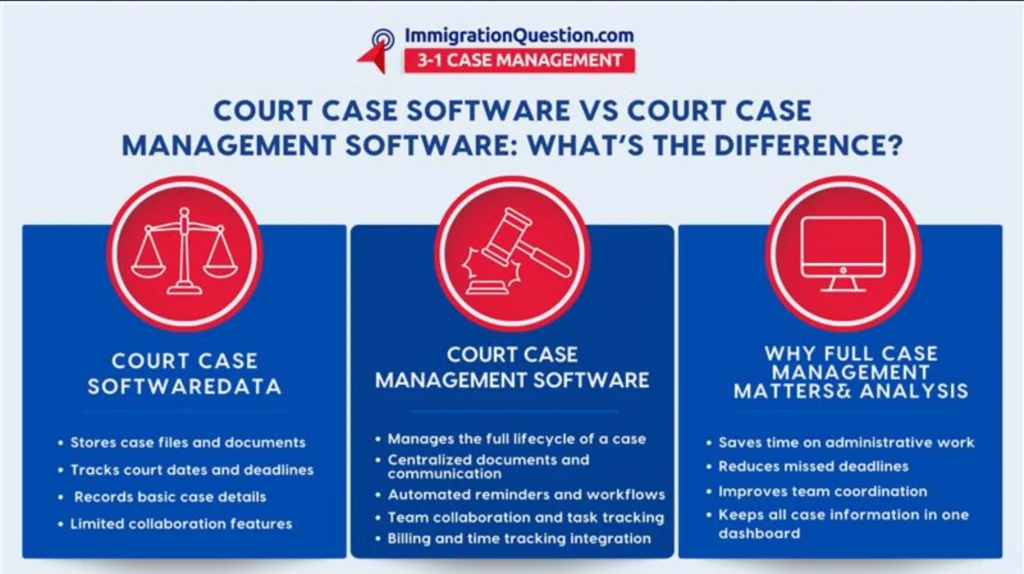
Key Differences Between Court Case Software and Court Case Management Software
Although the names sound similar, their capabilities are very different.
1. Scope Of Functionality
Basic court case software focuses on individual tasks.
Court case management software manages the entire case lifecycle.
For example:
Court Case Software
- Tracks court dates
- Stores case files
- Records filings
Court Case Management Software
- Tracks cases and clients
- Manages documents and communication
- Handles billing and deadlines
- Supports collaboration across the firm
2. Workflow Integration
Standalone court case software often requires users to rely on multiple tools.
A law firm might still need separate platforms for email, billing, or document sharing.
Full court case management platforms integrate these workflows into one dashboard.
This reduces duplicate work and minimizes the risk of lost information.
3. Automation Capabilities
Modern court management software includes automation features that basic systems usually lack.
These features may include:
- Automated deadline reminders
- Document templates and generation
- Workflow triggers for case stages
- Automated client notifications
Automation reduces administrative time and helps teams stay focused on legal strategy.
4. Collaboration Across Legal Teams
In busy firms, cases often involve multiple attorneys, paralegals, and administrative staff. Simple court case software rarely supports deep collaboration.
Full court case management platforms allow teams to:
- Assign tasks
- Share documents instantly
- Track case progress
- Communicate internally within the system
This creates transparency and prevents miscommunication.
Why Law Firms Are Moving Toward Full Court Case Management
Legal work has become increasingly complex. Firms are handling more cases, tighter deadlines, and higher client expectations.
Traditional methods such as paper files or disconnected software tools create several problems:
- Lost time searching for documents
- Missed deadlines due to poor tracking
- Duplicate administrative work
- Limited visibility into case progress
Modern court software solutions address these issues by centralizing operations.
When every case detail lives in one system, teams can work faster and with greater confidence.
Key Features to Look for in Court Management Software
When evaluating solutions, legal teams should prioritize tools that support real-world workflows.
1. Case And Matter Management
The foundation of any court case management platform is the ability to organize and track cases efficiently.
Essential features include:
- Case status tracking
- Case notes and activity logs
- Custom fields for case information
2. Document Management
Legal work produces large volumes of documents. A strong system must manage them securely and efficiently.
Look for features such as:
- Centralized document storage
- Version control
- Searchable files and folders
- Secure document sharing
3. Calendar And Deadline Tracking
Missed court deadlines can have serious consequences.
A reliable system should provide:
- Court calendar integration
- Automated deadline alerts
- Task reminders for team members
4. Time Tracking and Billing
Many modern court case management platforms include built-in billing tools.
These tools help firms:
- Track billable hours
- Generate invoices
- Monitor financial performance
5. Client Portals
Client expectations have changed. Many clients want immediate updates and easy communication.
Secure portals allow clients to:
- View case updates
- Upload documents
- Communicate with legal teams
This improves transparency while reducing phone calls and email overload.
How To Implement Court Case Management Software Successfully
Adopting new technology can feel overwhelming for legal teams. However, a structured approach makes the process smoother.
Step 1: Evaluate Current Workflows
Start by identifying where your firm loses time or faces frequent bottlenecks.
Common issues include:
- Manual document tracking
- Disorganized case notes
- Missed deadlines
Understanding these challenges helps determine which features matter most.
Step 2: Choose The Right Court Software Solutions
Look for platforms designed specifically for legal workflows rather than generic project management tools.
A good court case management solution should support:
- Case organization
- Secure document storage
- Legal billing systems
- Workflow automation
Step 3: Train Your Legal Team
Software adoption works best when everyone understands how the system improves their work.
Provide training sessions that show staff how the platform saves time and simplifies daily tasks.
Step 4: Start With a Pilot Case
Before migrating every case, test the system with a small group of matters.
This allows your team to refine workflows and identify potential improvements.
Best Practices for Maximizing Court Case Management Software
To get the most value from your system, law firms should follow a few best practices.
- Standardize case workflows
Create consistent processes for case intake, document storage, and deadline management.
- Use automation whenever possible
Automated reminders and document templates reduce administrative workload.
- Encourage team collaboration
Use built-in communication tools instead of relying on scattered emails.
- Review system data regularly
Analytics within court management software can reveal trends that help improve productivity.
The Future of Court Software Solutions
The legal industry is rapidly adopting digital tools. Courts, law firms, and legal departments increasingly rely on cloud-based systems to manage complex caseloads. Full court case management platforms are becoming essential for firms that want to remain competitive, efficient, and responsive to client needs.
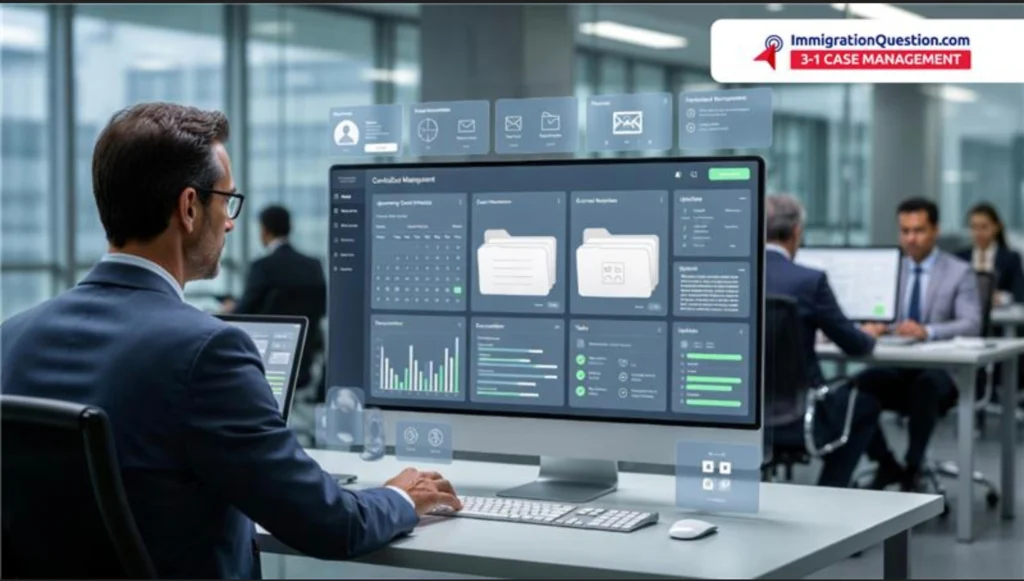
Instead of managing cases piece by piece, legal professionals can now oversee every detail from a single dashboard.
Choosing The Right Software for Your Legal Practice
Court case software can help with basic case tracking, but it often falls short when firms need deeper organization and collaboration.
Court case management software provides a more complete solution. It centralizes documents, deadlines, client communication, and team workflows in one system.
The result is less administrative work, fewer errors, and more time for billable legal work.
If your firm is ready to streamline operations and improve case management efficiency, the next step is clear.
Schedule a free demo today to see how ImmigrationQuestion.com 3-1 Case Management can transform the way your legal team manages cases.
Frequently Asked Questions
What Is Court Case Management Software?
Court case management software is a digital platform that helps law firms and courts organize, track, and manage every aspect of a legal case. It typically includes tools for document management, deadline tracking, client communication, and billing.
What Is the Difference Between Court Case Software and Court Case Management Software?
Court case software usually focuses on basic tasks such as storing case files or tracking court dates. Court case management software provides a more complete system that manages the full lifecycle of a case, including documents, communication, deadlines, and billing.
Why Do Law Firms Use Court Management Software?
Law firms use court management software to improve efficiency, reduce administrative work, and avoid missed deadlines. It helps legal teams organize cases, collaborate more easily, and manage large volumes of documents and information.
What Features Should Good Court Case Management Software Include?
Effective court case management software should include case tracking, document management, calendar and deadline reminders, time tracking, billing tools, and secure client communication features.
Is Court Case Management Software Worth It for Small Law Firms?
Yes. Even small law firms benefit from court case management software because it reduces manual work, keeps cases organized, and helps attorneys focus more time on billable legal work rather than administrative tasks.