There is a particular kind of silence that follows a mistake in a law office. Not the ordinary pause between tasks, but the heavy quiet that comes when someone realizes a confidential document has gone to the wrong recipient, or that a file cannot be accounted for.
In an age when legal work moves at digital speed, the question is no longer whether your firm handles sensitive data. It is whether that data is being handled with the care it demands. What if every case file, every client update, every document lived inside a system designed not only for efficiency but for protection?
That is where modern court management software enters the conversation.
Why Legal Data Security Can No Longer Be an Afterthought
Law firms are, by their nature, custodians of secrets. They hold the details clients would not share with friends, colleagues, or sometimes even family.
Yet the systems used to store this information often lag behind the seriousness of the responsibility. A misplaced email, a compromised login, a laptop left unencrypted; these events are not dramatic on their own, yet each one carries the potential to expose what must remain private.
The consequences are rarely contained:
- Trust, once broken, is difficult to restore
- Compliance failures invite scrutiny
- Reputational damage lingers longer than any case
Security is not an optional feature. It is part of the professional duty.
The Growing Risk in Traditional Case Management Lack Of Centralized Control
Many firms still operate across a patchwork of systems. Files live in shared drives, personal folders, email threads, and occasionally on paper.
The result is something that goes beyond inconvenience. It is uncertainty about where sensitive information resides and who can access it.
Human Error
Technology often takes the blame, but people are usually at the center of data exposure. An attachment sent in haste. A document saved to the wrong folder. A password shared for convenience. Small decisions, repeated often enough, create large vulnerabilities.
Limited Audit Trails
When something does go wrong, firms are left reconstructing events after the fact.
Who accessed the file? When was it altered? Was it downloaded? etc. Without clear answers, accountability becomes guesswork.
Weak Access Management
Access, in many offices, is granted broadly and reconsidered rarely. What begins as a practical decision can evolve into a system where too many people have access to too much information.
How Court Management Software Strengthens Security
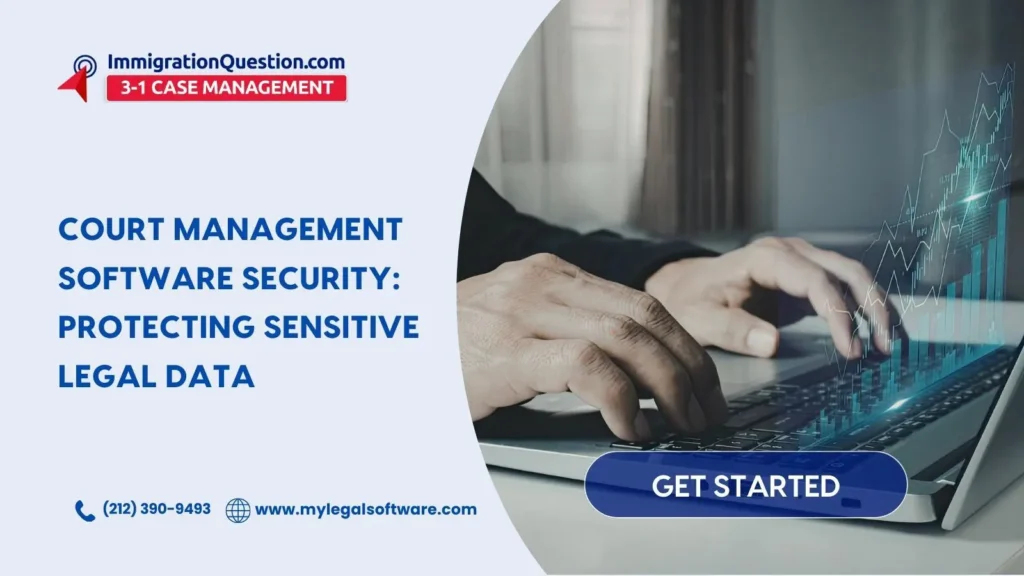
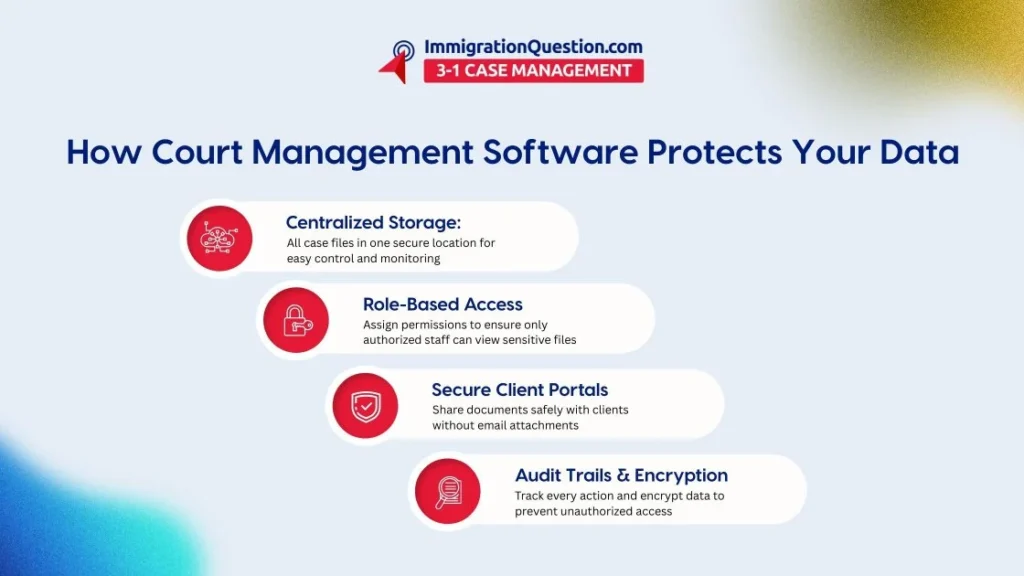
A well-designed court management software system does not simply organize cases. It imposes order on how information is stored, accessed, and shared.
Security, in this context, is not a barrier to work. It is what allows work to proceed with confidence.
Centralized Data Storage
When information is scattered, it is difficult to protect.
Centralization brings clarity. Every file, every communication, every update exists within a controlled environment, visible and manageable.
Role-Based Access Control
Not all information is meant for all eyes. Court software solutions allow firms to assign access based on responsibility, not convenience. The associate sees what is necessary. The partner sees more. Administrative staff see only what they need. It is a quiet but effective way to reduce risk.
Secure Client Portals
Email, for all its convenience, was not designed for confidentiality.
Secure client portals offer an alternative:
- Documents are shared within an encrypted environment
- Clients access information without attachments changing hands
- Communication becomes both safer and more organized
Encryption And Data Protection
Encryption has the virtue of being both invisible and essential.
In leading court software solutions, data is protected whether it is moving between users or resting in storage. Even if intercepted, it remains unreadable without proper authorization.
Automated Audit Trails
There is reassurance in knowing that every action leaves a record.
Audit trails provide that reassurance:
- Access is logged
- Changes are tracked
- Activity can be reviewed at any time
This is not surveillance. It is accountability.
Cloud-Based Security Infrastructure
Cloud-based full court case management platforms offer something many firms cannot build on their own: continuous, enterprise-level security. Updates happen quietly. Backups run automatically. Recovery plans are builtin rather than improvised.
Simply put, the infrastructure does the work, so the firm does not have to.
Key Features That Protect Sensitive Legal Data
A reliable court case software system includes safeguards that operate both visibly and behind the scenes:
- Data encryption that protects information from unauthorized access
- Multi-factor authentication that strengthens login security
- Access controls that define who can view or edit specific files
- Audit logs that track activity across the system
- Secure document storage that limits uncontrolled sharing
- Backup and recovery systems that prevent data loss
Each feature, taken alone, is useful. Together, they form a structure of protection.
Step-By-Step Guide to Implementing Secure Court Software Solutions
Adopting new technology often invites hesitation. The process, however, is more practical than it may seem.
1. Assess Your Current Risks
Understand where your data lives and how it moves.
2. Choose The Right Platform
Select a solution that treats security as essential, not optional.
3. Define Access Roles
Decide who needs access to what information, and no more.
4. Migrate Data Securely
Move existing files into the new system with care and oversight.
5. Train Your Team
Technology is only as effective as its users.
6. Monitor And Review
Security is an ongoing practice, not a one-time setup.
Court Management Software Vs Traditional Methods
| Feature | Traditional Methods | Court Management Software |
| Data Security | Limited | Advanced encryption |
| Access Control | Minimal | Role-based permissions |
| Audit Tracking | None | Full audit logs |
| Document Sharing | Email attachments | Secure portals |
| Backup | Manual | Automatic |
| Compliance | Difficult | Simplified |
Traditional methods rely heavily on habit and trust. Court case management software introduces structure and verification.
Best Practices for Maintaining Legal Data Security
Even the most sophisticated system benefits from disciplined use.
Enforce Strong Password Policies
Simple passwords invite unnecessary risk.
Use Multi-Factor Authentication
A second layer of protection is often the difference.
Limit Access
Grant permissions carefully and review them regularly.
Conduct Regular Training
Awareness reduces error.
Monitor Activity
Review logs to ensure systems are used as intended.
Keep Systems Updated
Security evolves, and so must the tools.
Why Security Is Also About Efficiency
Security, when properly implemented, does not slow a firm down. It removes friction. Files are easier to locate. Communication is more organized. Mistakes are fewer. Time, which is always in short supply, is used more effectively. Billable work takes precedence over administrative correction.
Secure Your Firm’s Future with the Right Technology
The legal profession has long been built on trust. That trust now extends beyond advice and advocacy to the protection of information.
Court management software offers a way to meet that responsibility with clarity and control. It brings order to data, limits unnecessary access, and provides a record of activity that supports both compliance and confidence. In doing so, it allows firms to focus on what they do best.
If your firm is ready to strengthen its security while improving efficiency, the next step is straightforward.
Schedule a free demo to see how ImmigrationQuestion.com 3-1 Case Management can support your practice with secure, full court case management solutions.
Frequently Asked Questions
What Is Court Management Software?
Court management software is a digital system that helps law firms and courts organize case files, manage documents, track deadlines, and streamline workflows on one secure platform. It improves efficiency while protecting sensitive legal data.
How Does Court Case Management Software Improve Data Security?
Court case management software enhances security through features like encryption, role-based access, audit logs, and secure client portals. These tools ensure that only authorized users can access confidential information.
Is Cloud-Based Court Management Software Safe for Law Firms?
Yes, reputable cloud-based court management software uses advanced security measures such as encrypted storage, regular backups, and multi-factor authentication. These systems often provide stronger protection than traditional on-premise setups.
4. What Features Should I Look for in Court Software Solutions?
Key features include:
- Data encryption
- Access controls
- Audit trails
- Secure document sharing
- Backup and recovery
- Multi-factor authentication
These features help protect sensitive legal data and ensure compliance.
5. Can Court Case Software Help Prevent Data Breaches?
Yes, court case software reduces the risk of data breaches by centralizing information, limiting access, and tracking user activity. This minimizes human error and helps law firms maintain control over their data.