Work resumes and the attorney’s inbox looks like the aftermath of a hurricane. Court dates are looming, discovery documents are scattered across multiple drives, and a paralegal is hunting down a client file like a detective on a missing-person case. Does any of this ring a bell? Well, you’re not alone; law firms across the country know this scene all too well.
Now, imagine a different scenario: everything you need, every case, client update, and document, all visible on one screen. Full court case management software promises that kind of sanity-saving clarity. It might just be the antidote to the chaos that keeps attorneys working nights and weekends.
Key Challenges Law Firms Face Without Modern Court Software Solutions
Handling a caseload the old-fashioned way is a recipe for headaches. Paper piles up, digital files multiply, and human error sneaks in. Some common headaches include:
- Scattered Case Files: Files in multiple locations, on different drives, or even in file cabinets nobody remembers.
- Missed Deadlines: Court dates, filings, and client updates slip through the cracks.
- Inefficient Collaboration: Staff spend more time searching for documents than actually working on cases.
- Limited Reporting: Trying to track progress manually becomes really difficult, if not impossible.
These aren’t just inconveniences; they can cost your firm money and credibility.
How Full Court Case Management Improves Efficiency
Software can’t magically argue your case in court, but it can take the chaos out of managing it. Here’s how:
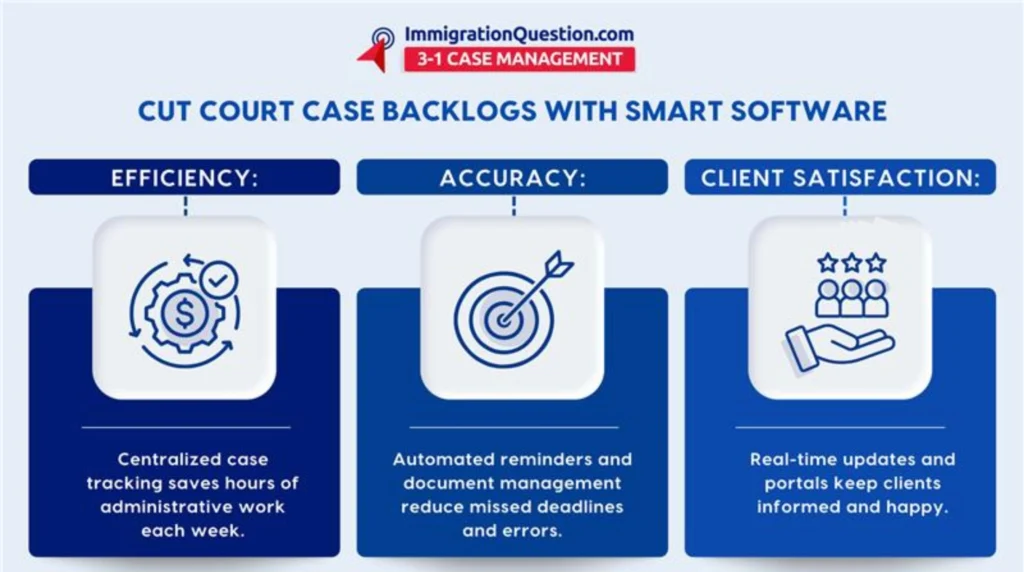
- Centralized Case Management: All case data, documents, and communications in one secure hub.
- Automated Alerts and Reminders: No more relying on sticky notes or memory for deadlines.
- Time Tracking and Billing Integration: Capture billable hours without feeling like you’re spying on yourself.
- Client Portals: Clients see updates in real-time, so your phone isn’t ringing off the hook.
The payoff? Less scrambling, fewer errors, and more time for actual legal work.
Real-World Applications and Examples
Take a mid-sized firm juggling hundreds of cases. Before full court case management, backlogs were routine, deadlines were a lottery, and staff morale was teetering. Six months after switching to court software solutions:
- Case backlogs fell by 40%.
- Attorneys reclaimed roughly 10 hours a week from administrative work.
- Clients noticed fewer mistakes and faster updates, boosting satisfaction.
It’s not magic. It’s organization that actually works.
Key Features of Court Case Software Solutions
The right software isn’t just flashy; it’s functional. Look for features that actually matter:
- Case Tracking: See deadlines, court appearances, and progress in one glance.
- Document Management: Securely store and organize all pleadings, evidence, and correspondence.
- Calendar and Scheduling: Sync every court date and meeting automatically.
- Reporting and Analytics: Spot bottlenecks and track performance without extra stress.
- Integration Capabilities: Connect to email, accounting, and practice management tools seamlessly.
These features do more than streamline workflow—they give attorneys a clear picture of what’s happening across their cases.
Step-by-Step Guide to Implementing Court Case Software
Installing new software can feel like moving a mountain. Here’s a way to make it manageable:
- Assess Current Processes: Figure out where delays happen most.
- Select the Right Software: Don’t just grab the shiniest option. Match features and support to your needs.
- Train Your Team: Give staff hands-on guidance, not just a manual.
- Migrate Data Securely: Move files without losing anything in the shuffle.
- Monitor and Optimize: Check what’s working, fix what isn’t, and refine over time.
Approach it in steps, and adoption is more likely to stick.
Comparison With Traditional Case Management Methods
Paper piles and scattered digital folders may feel familiar, but they come with costs:
- Repeated data entry errors
- Slow access to critical documents
- Poor visibility into progress
Full court case management software provides a single source of truth. Suddenly, finding documents, tracking deadlines, and coordinating your team doesn’t feel like a survival challenge.
Best Practices for Law Firm Adoption
Even the best software is only as good as the team using it. Keep these in mind:
- Make adoption mandatory across staff and attorneys.
- Use automated alerts for deadlines and client updates.
- Review reports regularly to catch bottlenecks early.
- Train continuously on new features.
- Maintain strong data security and backup protocols.
Do this, and your firm will be organized, efficient, and ready for anything the calendar throws your way.
Take Control of Your Court Workflows
Full court case management software isn’t just another tool—it’s a way to wrest back control over your workflow. Fewer backlogs, fewer errors, and more time to focus on the work that actually matters: your cases and your clients.
Schedule a free demo to see how ImmigrationQuestion.com 3-1 Case Management can transform your law firm’s workflow and cut through the chaos today.

Frequently Asked Questions
What is full court case management software?
Full court case management software is a digital system that helps law firms track cases, manage documents, schedule court dates, and communicate with clients, all from a centralized dashboard.
How does court management software reduce case backlogs?
By centralizing case files, automating reminders, and streamlining workflows, the software prevents missed deadlines and keeps cases moving efficiently through the court system.
Can court case software improve staff productivity?
Yes. It reduces time spent searching for documents, entering data, and tracking deadlines, allowing attorneys and staff to focus on billable work.
Is it difficult to implement full court case management in a law firm?
With proper planning, training, and data migration, implementation is straightforward, and most firms see measurable efficiency gains within months.
What features should I look for in court software solutions?
Essential features include case tracking, document management, automated alerts, calendar integration, reporting tools, and secure client portals.